Flezen APK v1.8.9 for Android

Flezen APK
Screenshots
Introduction
Managing files across different devices can become difficult, especially when you regularly share documents, videos, images, and other digital content. Cloud storage applications provide a convenient way to organize files and access them whenever needed.
Flezen is an Android cloud storage and file-sharing application developed by Devlooper. It is designed to help users store digital files, organize their content, and share files through links. The platform also promotes flexible storage options and tools for creators who distribute digital content.
However, Flezen has received mixed feedback from users, particularly regarding its advertising experience. Before installing it, understanding its features, limitations, and privacy information can help you decide whether it suits your requirements.
Flezen APK Details
| Information | Details |
|---|---|
| App Name | Flezen |
| Developer | Devlooper |
| Package Name | com.devlooper.flezen |
| Category | Tools |
| Latest Listed Version | 1.8.2 |
| APK Size | Approximately 41 MB |
| Android Requirement | Android 7.0+ (reported by Uptodown for version 1.8.0) |
| Price | Free |
| Contains Ads | Yes |
| Content Rating | Everyone |
| Google Play Downloads | 1M+ |
| Official Website | flezen.com |
Note: Version and file size can vary between releases and distribution platforms. Check the actual APK information before downloading.
What’s New in Flezen?
The latest update information displayed on the Google Play listing mentions improvements focused on stability and performance.
The listed changes include:
- Resolved stability issues and crashes on certain devices.
- Improved application loading times.
- Enhanced overall performance.
- General reliability improvements.
These changes aim to provide a smoother experience. However, they do not necessarily resolve every issue reported by existing users, particularly complaints about advertisements.
User Testing and Real-Life Reviews
A useful way to evaluate a cloud storage application is to examine feedback from people who have already installed it.
Flezen has accumulated more than one million downloads on Google Play, with approximately 3.5 stars and over 1,500 reviews in the available listing.
What users appreciate:
Some users have left short positive comments describing the application as good and useful. Third-party review summaries also mention appreciation for its file-sharing and coin-related features.
Common complaints:
Several publicly visible Google Play reviews highlight problems with advertisements.
For example:
- Garrett Highland, August 4, 2026, complained about excessive advertisements and difficulty closing an advertisement required to unlock content.
- Abhishek M Gowda, August 15, 2026, reported encountering advertisements when opening and downloading files.
- Rifat Shahriar, August 19, 2026, expressed dissatisfaction with the length and frequency of advertisements.
These are individual user experiences rather than independently verified technical findings.
My assessment: Flezen offers an interesting file-sharing concept, but its advertising experience deserves consideration. Users who prefer uninterrupted file access may find this frustrating.
Read the original feedback on the Google Play reviews page.
Key Features of Flezen
1. Cloud File Storage
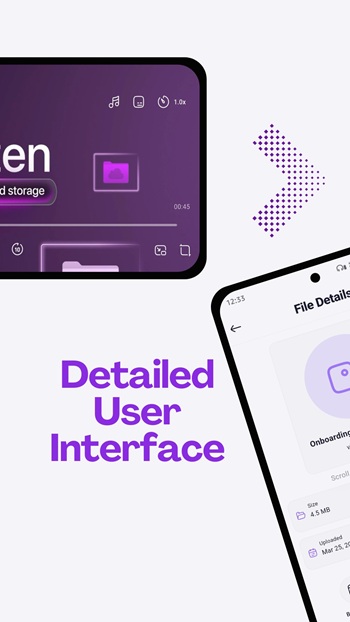
Flezen provides cloud-based storage for digital content. Instead of keeping everything on one device, users can upload files and access their stored content through the platform.
2. File Sharing Through Links
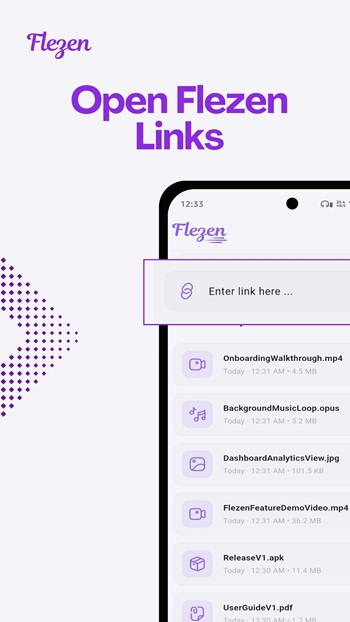
The platform supports file and folder sharing through links. This can be useful when sending large files to friends, clients, or colleagues without attaching everything to an email.
3. Flexible Storage Options
Flezen promotes flexible storage plans that can accommodate different requirements. Users can explore available plans and choose according to their storage needs.
4. File Management
Organizing digital content becomes easier when files are stored in a centralized location. Flezen focuses on helping users manage and maintain their uploaded files.
5. Access Across Devices
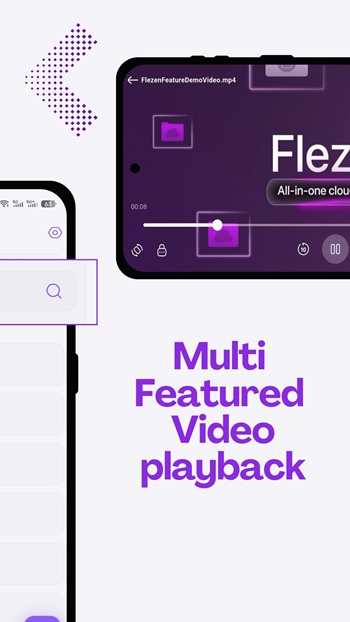
Cloud-based access makes it possible to work with stored content across supported devices rather than depending entirely on one phone.
6. Creator-Focused Tools
Flezen’s broader platform also promotes content distribution, analytics, and monetization features. These tools may be useful for creators who regularly share digital files.
Feature availability can depend on the account, subscription, and platform version.
Flezen MOD APK: What Should You Know?
Some websites may advertise modified versions of Flezen with claims such as unlocked premium features, an ad-free experience, or unlimited storage.
However, there is no independently verified official MOD APK released by the developer.
Be careful with modified installation packages because they can introduce several risks:
- Unauthorized access to account information.
- Modified file-sharing or download functionality.
- Potential malware or unwanted background activity.
- Exposure of uploaded documents and personal files.
- Account restrictions or loss of access.
A modified application cannot be assumed to provide genuine premium storage or guaranteed ad removal.
If you want a dependable experience, the original application from Google Play is the safer starting point.
Is Flezen Safe to Use?
Application safety should be evaluated through several factors, including its developer, distribution source, permissions, and privacy disclosures.
Google Play currently displays the developer’s data safety declarations indicating:
- No data collected.
- No data shared with third parties.
- Data encrypted in transit.
These are developer-provided disclosures and should not be interpreted as an independent security certification.
Flezen’s official website also describes its approach to file security and privacy.
Before uploading sensitive documents, consider the following precautions:
- Install the application from its official distribution source.
- Review the permissions requested by the application.
- Avoid uploading confidential documents unless you understand the platform’s security and privacy terms.
- Use a strong, unique password.
- Avoid sharing private file links publicly.
- Read the privacy policy before creating an account.
Safety verdict: The official Google Play listing provides useful transparency information, but users should still evaluate the service’s privacy practices before storing important personal or business files.
Official website: https://flezen.com/
How to Download and Install Flezen APK
The easiest installation method is through Google Play.
Follow these steps:
- Open the Google Play Store on your Android phone.
- Search for Flezen.
- Check that the developer is Devlooper.
- Open the application listing.
- Tap the Install button.
- Wait for the installation to finish.
- Open Flezen and follow the account setup instructions.
You can also visit the official listing directly:
Download Flezen from Google Play
If you obtain an APK from another source, verify its package name, version, developer signature, and security scan results before installing it.
Common Problems and Fixes
Flezen Is Not Installing
Check whether your Android version meets the application’s requirements. Also ensure that sufficient storage space is available.
Files Are Not Uploading
Check your internet connection, available account storage, and file size. Try uploading the file again after restarting the application.
Downloads Are Not Working
A weak connection, unavailable file, or temporary server issue may interrupt downloads. Try again using a stable network.
Too Many Advertisements
Some users have reported frequent or lengthy advertisements. Check whether an official ad-free option is available rather than installing an unofficial modified application.
Application Keeps Crashing
Update Flezen through Google Play. If the problem continues, clear the application cache or reinstall the official version.
Official Alternatives to Flezen
If Flezen does not meet your expectations, several established cloud storage services are worth considering.
Google Drive: Suitable for everyday file storage, document sharing, and integration with Google services.
Official website: https://drive.google.com/
Microsoft OneDrive: A useful option for people who work with Microsoft Office documents and Windows devices.
Official website: https://www.microsoft.com/microsoft-365/onedrive/online-cloud-storage
Dropbox: Offers cloud storage, file synchronization, and sharing features for individuals and teams.
Official website: https://www.dropbox.com/
Each service has different free storage limits, subscription options, and features.
Frequently Asked Questions
1. What is Flezen APK?
Flezen APK is the Android installation package for Flezen, a cloud storage and file-sharing application developed by Devlooper.
2. Is Flezen free to download?
Yes. The application is listed as free to download on Google Play, although it contains advertisements.
3. Is Flezen available for Android?
Yes. Flezen is available for Android devices through Google Play.
4. Does Flezen support file sharing?
Yes. The platform promotes link-based file and folder sharing.
5. Is Flezen MOD APK available?
Unofficial websites may distribute modified packages, but no verified developer-released MOD APK is established. Downloading modified packages can create security risks.
6. Why does Flezen show so many advertisements?
The application contains ads, and multiple users have complained about their frequency and duration. The exact advertising experience may vary between users and versions.
7. Can I use Flezen on multiple devices?
Flezen promotes access across supported devices. Check the official platform for current device compatibility and account requirements.
8. What is the official Flezen website?
The official website is https://flezen.com/.
Final Verdict
Flezen is an interesting option for Android users looking for cloud-based file storage and sharing capabilities. Its focus on flexible storage, link sharing, and creator-oriented tools gives it potential beyond a basic file manager.
However, the application is not without drawbacks. Public Google Play reviews reveal recurring complaints about advertisements, which may affect the overall user experience.
If your main requirement is storing and sharing files, Flezen is worth exploring with a free account. However, if you regularly manage important documents or want a more predictable experience, compare it with Google Drive, OneDrive, and Dropbox before choosing.
Overall recommendation: Try the official version first, evaluate its advertising experience, and avoid unofficial MOD APKs that make unverified premium or security claims.