StarSavior APK v2.60 for Android

Star Savior APK
Screenshots
1. Introduction
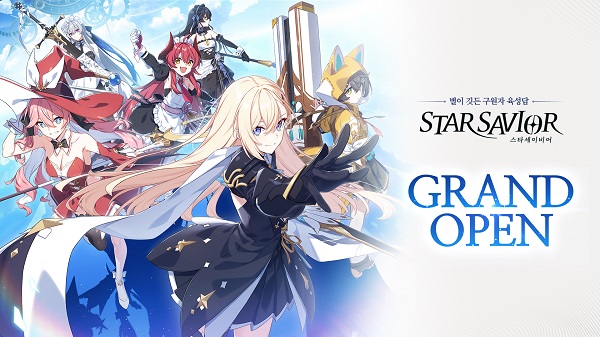
StarSavior is a role-playing game developed and published by STUDIOBSIDE. It combines anime-inspired character designs, turn-based combat, character development, and a science-fiction fantasy storyline. Players take on the role of a Captain who guides a team of characters known as Saviors through a series of challenges called the Journey.
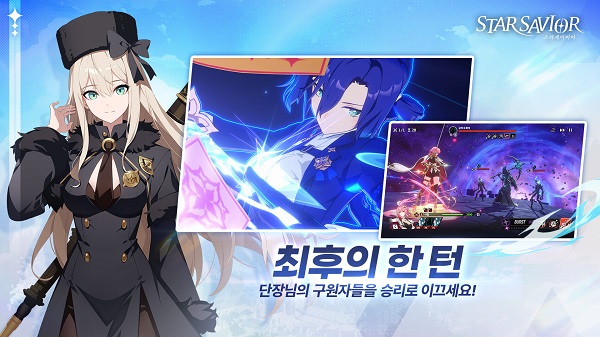
Unlike action games that depend on continuous manual combat, StarSavior focuses on team composition, character abilities, progression, and tactical decisions. Its presentation combines anime-style illustrations with 3D visuals and cinematic skill animations.
The game is available for Android, iOS, and PC through official distribution channels. Before downloading an APK file from a third-party website, players should check its source, version, and compatibility.
This review covers the original game, its main features, reported player experiences, installation options, and important security considerations.
2. StarSavior APK Details
| Information | Details |
|---|---|
| Game Name | StarSavior |
| Developer | STUDIOBSIDE |
| Category | Role-Playing Game (RPG) |
| Gameplay | Turn-based combat |
| Art Style | Anime-inspired 2D and 3D graphics |
| Platform | Android, iOS, and PC |
| Pricing | Free to download, with in-app purchases |
| Package Name | com.studiobside.starMain |
| Content Rating | Teen |
| Internet | Online access required for its live-service features |
| Official Website | https://www.starsavior.com/en |
| Official Download | https://starsavior.com/en/download |
Important: Game versions, download sizes, and Android requirements may change with updates. Check the official store listing for the latest information instead of relying on an outdated APK file.
3. What’s New in StarSavior?
The game’s published update notes have included new main-story content, additional characters, new Arcana, bug fixes, and performance improvements.
A March 2026 update notice also addressed frame drops and loading delays on mobile devices. These changes indicate that performance optimization has been an area of ongoing development.
For the newest release information, visit the official StarSavior news page or check the Google Play listing.
Always confirm the version number and update date before downloading an installation file. A website advertising an APK as the latest version may not have updated its listing.
4. Testing Results and Real Player Reviews
This section combines publicly available player feedback with a feature-based assessment. It is not a claim that the game was independently installed and benchmarked on a particular device.
Gameplay and presentation
StarSavior’s main strengths are its character artwork, animated abilities, and team-based combat. Players who enjoy collecting characters and improving their statistics may appreciate the progression system and the evolving story.
Google Play reviews also show that the experience is not universally positive. Some players praise the graphics and gameplay, while others report concerns about resource shortages, monetization, and optimization.
What players are saying
The following examples summarize publicly visible reviews on the Google Play Store:
- Positive feedback: A player reviewing the game in August 2026 praised its gameplay, character designs, and art style, while comparing its mechanics with other anime-inspired RPGs.
- Performance concerns: A player in April 2026 described intermittent lag and stuttering, although they also enjoyed the overall game.
- Monetization concerns: Other reviewers have complained that obtaining new characters and progressing can become difficult without spending money.
These are individual opinions, not controlled test results or proof that every player will experience the same issues. You can read the original reviews on the store page to evaluate the feedback yourself.
Overall testing assessment
| Area | Assessment |
|---|---|
| Graphics | A major attraction for anime RPG fans |
| Combat | Strategic, turn-based battles |
| Progression | Character training and resource management |
| Performance | May vary by device and game version |
| Free-to-play experience | Worth trying, but progression may require patience |
| Spending | Optional purchases can influence progression |
5. Main Features of StarSavior
Turn-Based Strategic Combat
Battles revolve around selecting suitable characters, understanding their abilities, and building an effective team. Success depends on more than character strength because skill combinations and party composition also matter.
Anime-Inspired Characters
The game features detailed character illustrations, 3D models, and cinematic skill effects. These visuals are a central part of its appeal for fans of anime-style role-playing games.
Story-Driven Gameplay
The Journey provides a narrative framework in which players guide Saviors through challenges while learning more about the world, its characters, and the legacy of the Star Savior.
Character Training and Progression
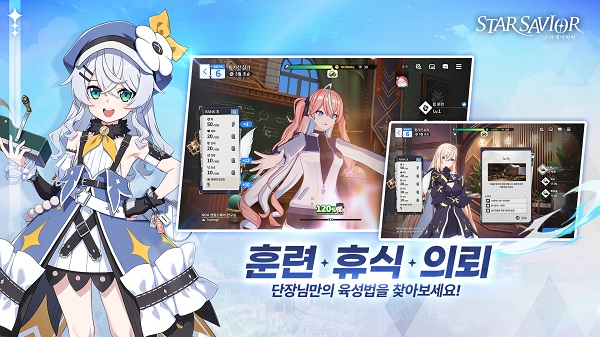
Players can develop their characters and improve their combat effectiveness using progression systems, equipment, and in-game resources. Managing these resources carefully is important when advancing through more difficult stages.
Arcana and Team Building
Arcana adds another layer to character development and team strategy. Choosing suitable combinations can help players prepare for different battles and improve their overall performance.
Regular Updates and Events
The developers publish new content, characters, events, and gameplay improvements. The official news page provides details about scheduled maintenance, limited-time activities, and balance changes.
Battle Skip and Quality-of-Life Improvements
The October 21, 2026 update notes introduced Battle Skip for eligible Operation stages, alongside adjustments to certain stage difficulties and improvements to gear management. These changes aim to reduce repetitive tasks and make progression more convenient.
Source: Official October 21 update notes.
6. How to Install StarSavior on Android
The recommended method is to install the game from an official app store.
- Open the official Google Play listing.
- Check the developer name and confirm that the listing is published by STUDIOBSIDE.
- Tap Install if the game is available for your device and region.
- Open the game and allow it to download any required additional data.
- Use a stable Wi-Fi connection and sufficient free storage.
- Complete the initial setup and follow the instructions displayed in the game.
If you need an APK installation file, start with the official StarSavior download page to check the supported platforms and available download options.
For a third-party APK, verify its source and version before installation. Android may require permission to install apps from a particular source. Enable that permission only when necessary, and turn it off again afterward. Avoid modified packages that promise unlimited premium currency or unlocked paid features.
7. Is StarSavior APK Safe?
The original game is published by STUDIOBSIDE, and its official store listing provides information about the developer, content rating, and data safety disclosures.
However, an APK file found on another website is not automatically safe just because it uses the same game name.
Consider these precautions before installing:
- Download the game from an official source whenever possible.
- Check the developer, package name, version, and file integrity.
- Scan downloaded files with reputable security software.
- Avoid modified APKs that request unrelated permissions or ask for your game account password.
- Never disable Android’s security protections just to install a suspicious file.
- Do not assume an APK is genuine merely because a download website displays a virus-free badge.
The official store listing reports that the game may share certain device identifiers and app activity with third parties, and that data is encrypted in transit. These are developer-provided disclosures, not an independent security audit. Read the Google Play data safety section for the latest details.
8. Pros and Cons
Pros
- Attractive anime-inspired artwork and 3D visuals.
- Strategic turn-based combat.
- Story content and character development.
- Additional characters and events through updates.
- Free initial download.
- Quality-of-life features that can reduce repetitive gameplay.
Cons
- Character acquisition involves randomized gacha mechanics.
- In-app purchases may encourage spending.
- Progression can feel slow when resources are limited.
- Performance may vary across devices.
- Online features require a reliable connection.
- Third-party APK files introduce additional security risks.
9. Frequently Asked Questions
Is StarSavior APK free to download?
The original game is free to download through supported official stores, but it includes in-app purchases. Optional purchases and randomized character acquisition are important considerations before spending money.
What is the latest StarSavior version?
The version available to you can vary by platform, region, and rollout schedule. Check the official Google Play listing and official news page for the current release information.
Can I play StarSavior offline?
You should expect to need an internet connection for the game’s live-service features. Do not assume that the full game is playable offline.
Does StarSavior support PC?
Yes. The game is available on PC through supported distribution channels, including Steam. Visit the official download page to find the appropriate platform.
Is StarSavior MOD APK safe?
There is no reliable guarantee that a modified APK is safe. Unofficial modifications can contain malware, compromise account credentials, break game updates, or violate the game’s terms. The original version is the safer choice.
Why does StarSavior lag or crash?
Possible causes include limited device resources, outdated game files, insufficient storage, network problems, or compatibility issues. Update the game, restart your device, close background applications, and use a stable connection. If the problem continues, contact the official support team.
Is StarSavior suitable for free-to-play players?
Yes, you can begin playing without purchasing anything. However, some players report that character collection and later progression can become challenging without additional resources. Manage your in-game currency carefully and avoid spending money unless it fits your budget.
10. Final Verdict
StarSavior is worth considering for players who enjoy anime-inspired RPGs, character collection, tactical battles, and story-driven progression. Its artwork, team-building mechanics, and continuing content updates provide several reasons to try the game.
Its main drawbacks are the randomized character system, potential spending pressure, and performance issues reported by some players. Your experience will depend on your device, preferred play style, and willingness to progress without purchases.
For the safest experience, download the original game through an official store or the developer’s website. Check the latest version information before installing, and avoid modified APKs that promise benefits the developer has not officially provided.
Overall recommendation: Try the official free version first. It offers the clearest way to evaluate StarSavior’s gameplay, compatibility, and progression before deciding whether it suits you.