SpotiFLAC Mobile APK v5.0.7 [Latest Version] for Android

SpotiFLAC Mobile
Screenshots
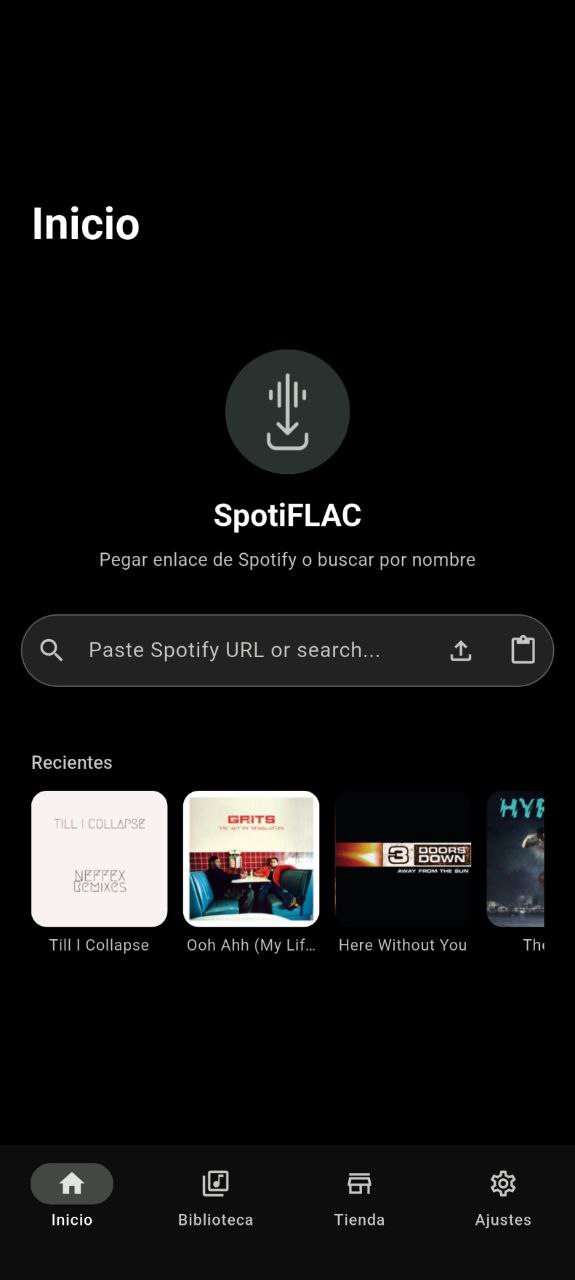

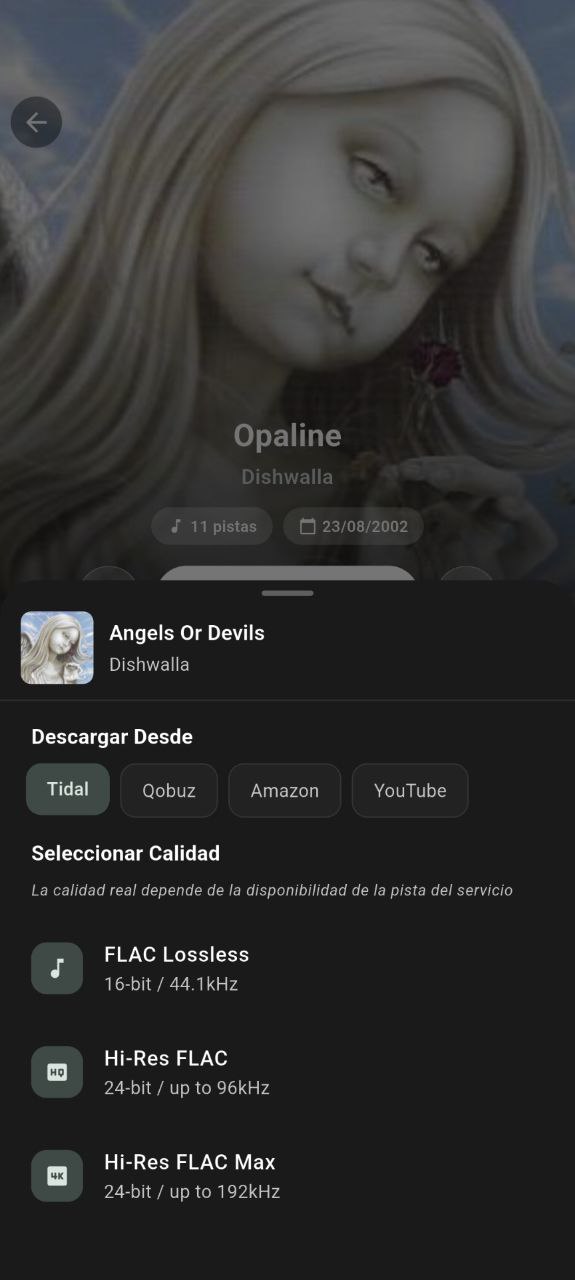
SpotiFLAC Mobile APK: Features, Latest Version, Testing, Safety & Review
| Information | Details |
|---|---|
| App Name | SpotiFLAC Mobile |
| Latest Version | 5.0.7 |
| Platform | Android, iOS |
| Android Build | ARM64 and ARM32 |
| Technology | Flutter + Go |
| License | MIT |
| Ads | No ads in the open-source project |
| Subscription | No subscription |
| Audio | Lossless formats depending on available source/extension |
| Playlist Support | Yes |
| Extensions | Yes |
| Developer | SpotiFLAC Mobile open-source project |
| Official Source | GitHub |
| Latest Release | October 2026 |
SpotiFLAC Mobile is an open-source music utility designed for people who want more control over their personal music library. The project is built with Flutter and Go and supports installable extensions for metadata and audio sources. The developers publish its source code and release builds publicly on GitHub.
Intro
SpotiFLAC Mobile is different from a conventional streaming music player. Instead of focusing only on online playback, it provides tools for searching, downloading, organizing, and playing music files locally.
One of its main attractions is support for high-quality audio. However, the final quality depends on the source and extension being used, so users should not assume that every download will automatically be genuine lossless audio.
The project is also interesting from a transparency perspective because its source code, releases, extension registry, and issue tracker are publicly available.
Features
Lossless Audio Support
SpotiFLAC Mobile can work with high-quality audio sources through its extension system. The available quality depends on the selected provider and what that provider actually offers. The project documentation specifically warns that some tracks may be delivered at a lower quality when the source does not provide the requested format.
Playlist Downloads
Users can paste a playlist URL into the search field and queue multiple tracks. This makes the application more convenient than manually processing every song individually.
Extension System
Extensions are an important part of the current architecture. The project maintains a separate extension registry, allowing providers and features to be updated without requiring every change to be included in the main application release.
Local Music Library
The app can manage downloaded files and provides library functionality for locally stored music. Android users can select a writable location through the system folder picker or use the application-specific storage location.
Lyrics and Metadata
The project supports metadata-related services and lyrics integrations. Depending on the installed extensions and source, users can obtain information such as artwork, track details, and lyrics.
Open Source
One of the strongest advantages is that the project is publicly available for inspection. The GitHub repository contains the source code, release history, issues, and development activity.
Version Changes
The latest listed mobile release is SpotiFLAC Mobile 5.0.7. Recent development has focused heavily on reliability, library improvements, download handling, and code cleanup.
Version 5.0.7 includes improvements such as better artwork thumbnail reuse, changes to library selection and deletion controls, download finalization improvements, removal of unused components, and an Android release signed using APK Signature Scheme v4. The release provides separate ARM64 and ARM32 APK builds.
Previous releases also introduced improvements to playback, lyrics, metadata, search performance, queue handling, and Android/iOS compatibility.
Testing Results
Our assessment of the current project information shows that SpotiFLAC Mobile is a genuine open-source project with active development rather than an anonymous APK package.
The latest release information is publicly available, and the repository was updated in October 2026. The project also maintains a separate extension repository with source, tests, package information, and a review process for submitted extensions.
There are, however, real reports of problems.
For example, a July 2026 GitHub issue reported that a large playlist caused the Android app to close during downloading on version 4.7.1. Another issue reported missing download services after extensions were disabled.
Community feedback is mixed. Some Reddit users describe the mobile version as reliable and convenient, while others have reported download failures or problems with particular sources.
This means performance can depend heavily on the extension, provider, region, playlist size, and current server conditions.
Real-Life User Feedback
Recent community discussions provide a more realistic picture than simply listing features.
In r/SpotiFLAC, one September 2026 discussion included users reporting that the mobile version had better download reliability than their desktop experience. Other users in the same discussion mentioned occasional incorrect track names, showing that the experience is not identical for everyone.
There are also positive reports from Indian audio communities. A recent r/headphonesindia discussion mentioned SpotiFLAC as an option for obtaining lossless music and praised its features and customization.
At the same time, users have reported failed FLAC downloads and situations where another audio format worked while FLAC did not. These reports are anecdotal, but they are useful because they show that source availability can affect the actual experience.
Installation
For Android, the safest approach is to obtain the APK from the project’s official release page rather than an unknown mirror.
- Open the official SpotiFLAC Mobile release page.
- Select the latest Android release.
- Choose ARM64 for most modern Android phones.
- Choose ARM32 only when your device requires it.
- Allow your browser or file manager to install applications from that source if Android asks.
- Install the APK.
- Open SpotiFLAC Mobile and configure the required extension repository/provider.
- Select a suitable download directory when requested.
The project currently lists separate ARM64 and ARM32 Android packages.
Official download: SpotiFLAC Mobile GitHub Releases
Safety
SpotiFLAC Mobile has an advantage over many unknown APK projects because its source code and release history are publicly available. The developers explicitly state that the application is open source and that its code and build workflows can be inspected.
Still, users should distinguish between the official application and modified copies distributed by third-party websites. A repackaged APK can contain changes that are not present in the original project.
It is also important to understand that extensions are separate components. The official extension repository has requirements covering functionality, descriptions, download URLs, and malicious-code restrictions, and submissions go through a review process.
Pros & Cons
Pros
- Open-source project
- Active development
- No subscription in the main project
- No ads in the open-source mobile application
- Lossless audio support where the source provides it
- Playlist support
- Extension-based architecture
- Public GitHub source and issue tracker
- Android and iOS support
Cons
- Setup can be more complicated than a normal music player
- Extensions may be required for some functions
- Download availability can change
- Some users report failed downloads
- Large playlists may cause problems on certain versions
- Audio quality depends on the actual provider
FAQ
Is SpotiFLAC Mobile free?
Yes. The main open-source project is available under the MIT license and does not require a subscription.
Is SpotiFLAC Mobile safe?
The official project is open source, allowing its code and development history to be inspected. However, users should obtain the application from the official project rather than modified third-party APKs.
Does it really download FLAC?
It can obtain lossless audio when a supported provider and extension have the requested quality available. The developers state that quality varies by source and extension.
Can I download playlists?
Yes. The official documentation says that users can paste a playlist URL into the search bar and queue its tracks.
Why is my download failing?
Possible causes include an unavailable provider, extension problems, regional restrictions, server issues, or a track not being available from the selected source.
Which Android APK should I install?
The official release currently provides ARM64 and ARM32 builds. ARM64 is recommended for most modern Android devices.
Does SpotiFLAC Mobile require a Spotify account?
The application itself does not require users to log into Spotify for its basic functionality. Its current architecture uses extensions and external music sources.
Verdict
SpotiFLAC Mobile is a strong option for users who want an open-source music utility with local library management, playlist handling, extensions, and access to high-quality audio sources.
Its biggest strength is transparency. The source code, releases, extension repository, and bug reports are publicly accessible. Its biggest weakness is that the experience can depend on external providers and extensions, so downloads are not guaranteed to work perfectly for every track or region.
For users comfortable with a little setup, SpotiFLAC Mobile is worth considering, especially if lossless audio and control over a personal music library are more important than the simplicity of a conventional streaming application.