Antel TV APK v2.6.1 for Android

Antel TV APK
Screenshots
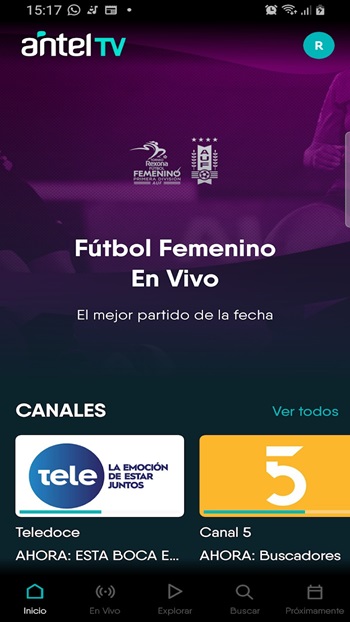
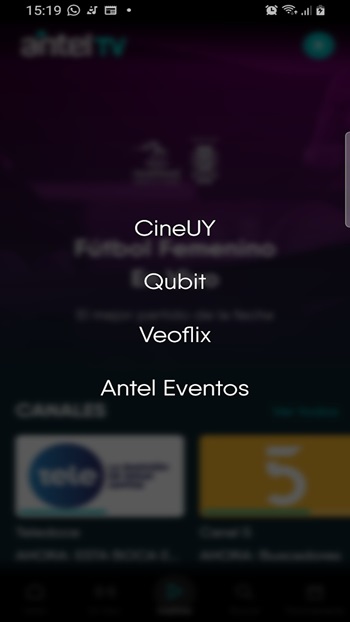
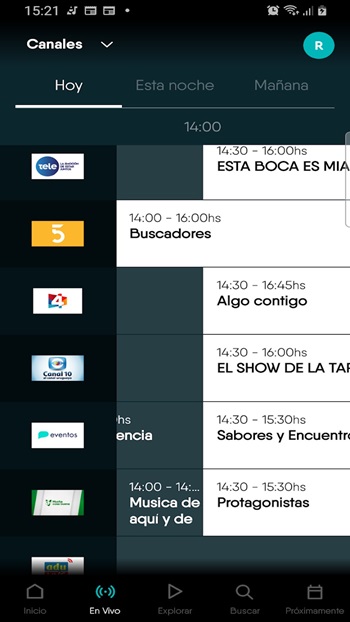
Antel TV APK: Features, Latest Version, Testing, Safety & Installation Guide
Antel TV is an official audiovisual streaming platform operated by Antel, Uruguay’s national telecommunications company. The service combines national and international channels, live events, videos, cameras located around Uruguay, and on-demand entertainment in one platform.
Unlike unofficial streaming APKs that often make unclear claims about their content sources, Antel TV is an established service with official Android distribution and a dedicated website. Some content is free, while movies, series, sports and premium programming may require a subscription, rental or another form of access.
For Android users, the safest approach is to install the application from its official Google Play listing rather than downloading a modified or repackaged APK from an unknown website.
Antel TV APK Details
| Detail | Information |
|---|---|
| App Name | AntelTV |
| Developer | Antel |
| Category | Entertainment / Streaming |
| Platform | Android |
| Official Android Support | Android 5.0+ according to Antel’s app page |
| Latest Google Play Update | August 20, 2026 |
| Downloads | 100K+ on the current Google Play listing |
| Content | Live channels, events, cameras, videos, movies and series |
| Ads | Yes, according to Google Play |
| Content Model | Free and paid content |
| Country Focus | Uruguay |
| Developer | Administración Nacional de Telecomunicaciones |
Antel’s own application page lists Android 5.0 or later as compatible with the mobile application. Google Play currently identifies the developer as Administración Nacional de Telecomunicaciones and shows the application as containing ads.
Features
Live TV and National Channels
Antel TV provides access to a selection of national and international signals. Availability can vary depending on the user’s location, subscription and current content agreements.
The platform is particularly focused on Uruguayan content, making it more relevant to viewers interested in local television, sports and events.
Live Events
One of the useful parts of Antel TV is its support for live transmissions. Antel describes the service as offering live broadcasts of relevant events, while its current platform also promotes sports and cultural programming.
Cameras Around Uruguay
The service includes cameras positioned at different locations around the country. This gives users an alternative way to view selected locations and public scenes without relying exclusively on traditional television channels.
Movies and Series
Antel TV also offers movies and series. However, not everything is included for free. Antel states that some entertainment content can require a separate subscription or payment before playback.
Multiple Devices
Antel TV can be used on mobile devices through its Android and iOS applications. Computer users can access the service through the Antel TV website.
Antel also supports Antel TV on its Android TV-based Antel Box devices. The current Antel Box uses Android TV 12, with the ability to update to Android TV 14, and includes AntelTV among its preinstalled applications.
Premium Content
Antel TV has premium options that can include sports, live coverage and additional television content. Some offerings are available exclusively to eligible users or customers in Uruguay.
Version Changes
The current Google Play listing shows an update dated August 20, 2026, with the listed change described as performance improvements.
Because streaming services can change their content catalog and server-side features without requiring a major application redesign, an app update does not necessarily mean that every new feature will be visible immediately.
For the most accurate version information, check the official Google Play listing before installing.
Official sources:
Testing Results
Based on the currently available official information and recent Google Play feedback, Antel TV is an established streaming application rather than an unknown third-party APK.
During evaluation, several important points stand out:
Content: The service offers live signals, events, cameras and on-demand content.
Compatibility: Antel officially lists Android 5.0+ for its Android application, although users should still check the current Play Store requirements because requirements can change.
Internet connection: Antel states that an internet connection is required and recommends bandwidth of at least 621 Kbps for accessing the service. Higher-quality video will generally benefit from a faster and more stable connection.
Availability: Content is not identical for every user. Some programs and services require registration, subscriptions or payment.
User feedback: The current Google Play listing has a rating around 3.6/5 from more than 350 reviews for the newer listing. One recent reviewer praised the service’s performance and availability of regional channels and events, while another criticized missing or paid channels, advertising and camera navigation.
These reviews show that the experience can depend heavily on the content a particular viewer expects to access.
How to Install Antel TV
Recommended Method: Google Play
- Open Google Play Store on your Android device.
- Search for AntelTV.
- Verify that the developer is Antel.
- Check the application’s version and compatibility.
- Tap Install.
- Open the app after installation.
- Sign in or register if the selected content requires an account.
- Choose an available channel, event or video.
Using the official Play Store version is preferable because the package comes directly through Google’s app distribution system.
Installing an APK Manually
If you have a legitimate APK obtained from Antel or another trusted source, Android may require permission to install applications from that source.
However, users should be careful with websites offering phrases such as “Antel TV MOD APK,” “Premium Unlocked,” or “All Channels Free.” These versions are not the official Antel application unless Antel itself distributes them.
Safety and Privacy
The official Antel TV application is developed by Antel and is available through Google Play. That makes the official version considerably preferable to unknown APK packages.
Google Play’s current data-safety information states that the application may share certain information with third parties, including personal information, app and performance information, and device or other IDs. It may also collect app activity. Google Play indicates that data is encrypted in transit and that users can request deletion of their data.
This does not mean that the application is unsafe. It means users should review the application’s current privacy information and permissions before using it.
Safety recommendation: Download Antel TV from the official Google Play listing whenever possible. Avoid modified packages that promise paid channels or premium features for free.
Real-Life User Reviews
Recent Google Play reviews provide a mixed but useful picture.
One reviewer in August 2026 complained about missing major Montevideo channels, paid access to certain channels, limited program information and advertising during camera viewing.
Another reviewer in May 2026 reported that the application worked well for regional channels and events and mentioned improvements in the availability of premium-free content, football and other programming.
A June 2026 review mentioned an issue where playing radio content on an Android TV device did not prevent the device from entering its inactivity sleep mode.
The important takeaway is that Antel TV appears to have a genuine user base with both positive and negative experiences. The most common concerns are related to content availability, advertising and certain Android TV usability issues rather than the legitimacy of the application itself.
Pros & Cons
Pros
- Official application from Antel
- Live national and international signals
- Live events and sports content
- Cameras from different locations in Uruguay
- Movies and series available
- Supports Android devices
- Available on compatible Antel TV Box devices
- Free and paid content options
- Official Google Play distribution
Cons
- Some content requires payment or a subscription
- Content availability can vary
- Advertising is present
- Some users have reported navigation and programming issues
- The service is primarily focused on Uruguay
- A stable internet connection is necessary
Frequently Asked Questions
Is Antel TV free?
Some Antel TV content is free, including selected channels, cameras and events. Other movies, series, platforms and premium programming require payment or a subscription.
Is Antel TV safe?
The official Antel TV application is distributed by Antel through Google Play. For safety, install the official version instead of modified APK packages from unknown websites.
Does Antel TV work outside Uruguay?
Antel states that some content is available from outside Uruguay, while other services are restricted to Uruguay. Availability therefore depends on the specific content and service.
Can I watch Antel TV on a Smart TV?
Yes. Antel TV is supported on compatible Android TV devices, and Antel’s current Antel Box includes AntelTV as a preinstalled application.
Does Antel TV have movies and series?
Yes. The platform includes movies and series, although some titles require a separate subscription or rental.
Does Antel TV require an account?
Some content can be viewed without an account, while Antel states that certain content requires users to register or sign in before playback.
Is Antel TV the same as an Antel TV MOD APK?
No. The official Antel TV application is developed and distributed by Antel. A modified APK is a third-party package and should not be confused with the official application.
Verdict
Antel TV is a legitimate streaming platform aimed primarily at viewers interested in Uruguayan television, live events, sports, cameras and additional on-demand entertainment. Its strongest advantage is that it combines several types of local content under an official Antel service rather than relying on an unofficial streaming source.
The main limitation is that not all content is free, and recent user reviews show that channel availability, advertising and Android TV navigation can still be frustrating for some viewers.
For users in Uruguay who want an official way to access local television and events, Antel TV is worth considering. For the safest experience, use the official Google Play version and check whether the specific channel or program you want requires a subscription before signing up.
