Velune APK v1.0.7 [Unlimited] for Android

Velune MOD APK
Screenshots
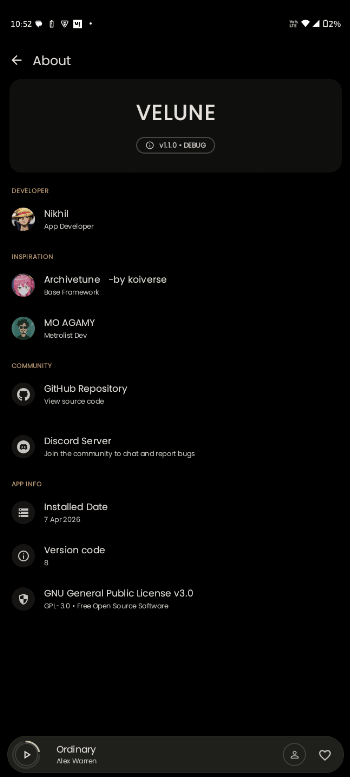
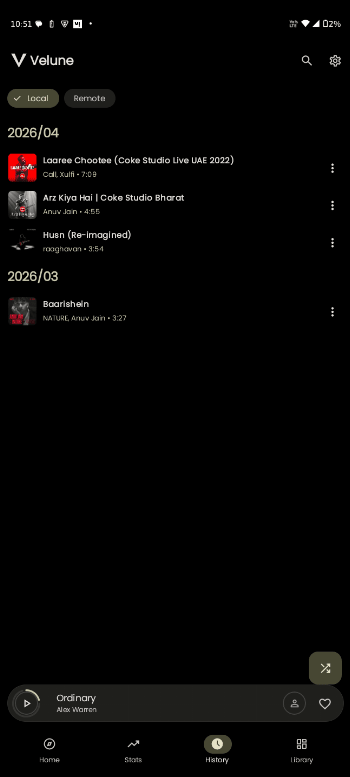
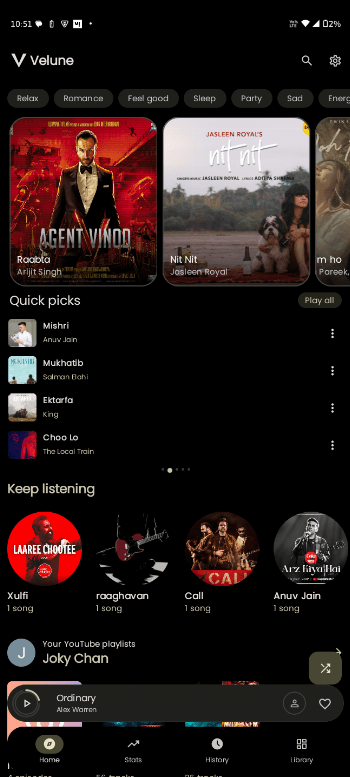
Velune MOD APK: Features, Installation, Safety, Problems & Alternatives
Velune is an Android music application designed as an independent, open-source YouTube Music client. It focuses on ad-free playback, background listening, offline caching, synchronized lyrics, and a modern Material You interface.
One important point before downloading: the official Velune project does not describe itself as a “MOD APK.” The project is distributed as an independent open-source Android application. Unofficial websites may use the term “Velune MOD APK” for modified packages, but those files should not automatically be considered official or safe.
Velune App Information
| Information | Details |
|---|---|
| App Name | Velune |
| App Type | YouTube Music client |
| Platform | Android |
| Latest project information | Check official release page |
| Android Requirement | Android 8.0+ for the GitHub project |
| License | GPL-3.0 |
| Developer | Independent open-source project |
| Ads | Ad-free |
| Offline Playback | Supported |
| Background Playback | Supported |
| Source Code | Available on GitHub |
| Account | Not required to start using the app |
| Official affiliation | Not affiliated with YouTube or Google |
The project’s GitHub repository identifies Velune as a premium-style, ad-free YouTube Music client built with Kotlin and Jetpack Compose. Its releases also state that the application is an independent third-party client and is not affiliated with Google or YouTube.
What Is Velune?
Velune aims to provide a cleaner music experience without some of the restrictions found in the standard YouTube Music application.
Its main attraction is the combination of ad-free playback, background listening, offline caching, synchronized lyrics, and a modern interface. The project is open source under the GPL-3.0 license, allowing its source code to be publicly inspected and developed by the community.
The project also supports features such as gapless playback, crossfade, silence skipping, and loudness normalization.
Velune vs “Velune MOD APK”
This distinction matters.
A genuine Velune release comes from the project’s development and release channels. A file labelled Velune MOD APK on a third-party website may have been repackaged or modified by someone else.
Therefore, users should check:
- APK source
- Version number
- Developer information
- Package signature
- File permissions
- VirusTotal or another reputable malware scanner
- Whether the APK matches the project’s public source or release
Avoid assuming that a file is official simply because its filename contains “Velune.”
Main Features
1. Ad-Free Playback
Velune is designed around an ad-free music experience. The project describes itself as having no audio or video advertisements.
2. Background Playback
Music can continue playing while another application is open or when the phone screen is locked.
This is particularly useful when listening while working, travelling, or using other applications.
3. Offline Caching
Velune supports local caching for offline playback. The project’s website states that cached music is stored on the device using encryption.
4. Synchronized Lyrics
One of the more interesting features is real-time, word-by-word synchronized lyrics. Translation support is also advertised by the project.
5. Material You Interface
The application uses a modern Android design with dynamic colours that can adapt to the device’s wallpaper and system appearance.
6. Gapless Playback
Velune includes an audio engine designed to provide smoother transitions between tracks. Crossfade and silence-skipping options are also listed among its features.
7. Open Source
The source code is publicly available on GitHub and the project is licensed under GPL-3.0. This provides considerably more transparency than a completely closed, unidentified APK.
Android Requirements
The project’s GitHub releases specify Android 8.0 or higher for its releases. Earlier release notes also describe the APK as universal, meaning it is intended to work across different Android devices.
For the best experience, keep your Android system updated and maintain enough free storage for cached music.
How to Install Velune APK
For the safest installation, use the project’s legitimate release channels rather than a random modified APK.
- Download the APK from the project’s official release source.
- Open the downloaded APK.
- If Android asks for permission, allow your browser or file manager to install unknown applications.
- Return to the APK and select Install.
- Open Velune after installation.
- Test playback and other features.
The project’s release instructions also recommend downloading the APK through its release system or supported distribution methods.
Official sources: Velune GitHub repository · Velune GitHub releases
Common Problems
Velune Is Not Installing
Check that your Android version meets the requirement and that there is enough free storage. If Android reports that the package is invalid, download the APK again from a trusted release source.
Playback Does Not Work
Third-party YouTube Music clients can sometimes stop working when upstream services change. Check whether a newer Velune release is available before repeatedly reinstalling the same APK.
Login Problems
Some features may behave differently from the official YouTube Music application. If account synchronization is important, test the application without entering sensitive account credentials into an unofficial build.
APK Says “App Not Installed”
Remove an older conflicting version and retry with a clean APK. Do not install multiple packages claiming to be the same application from unknown websites.
Battery Usage
Background playback and offline caching naturally consume battery and storage. Restricting background activity can also interfere with continuous playback.
Is Velune Safe?
The official open-source project is considerably easier to verify than an unknown “MOD APK.” Its source code is publicly available, and the GitHub project identifies the software as GPL-3.0 licensed.
However, this does not mean every APK labelled “Velune MOD APK” is safe.
A modified APK can contain additional code that is not present in the original project. Before installing an unofficial build:
- Scan the APK with a reputable security service.
- Check its SHA-256 hash when a trusted hash is available.
- Compare its version with the official release.
- Avoid APKs requesting unrelated permissions.
- Never provide banking passwords or other sensitive credentials to an unknown application.
- Prefer the official open-source release whenever possible.
The project itself states that it is independent and is not affiliated with YouTube or Google.
Real-World User Feedback
Rather than inventing “real-life reviews,” it is better to look at publicly visible project activity.
The Velune GitHub repository has received community engagement, including hundreds of stars, and its release history shows ongoing bug fixes, accessibility improvements, interface changes, and stability updates.
For example, release notes mention fixes for playback problems and improvements to accessibility, including TalkBack support and better labelling of player controls.
This suggests that the project is being actively developed, although GitHub activity should not be treated as the same thing as independent user reviews.
For a fair assessment, users should test the current release on their own device and check recent GitHub issues before making it their primary music application.
Alternatives to Velune
If Velune does not meet your needs, several legitimate options are available.
YouTube Music
The official YouTube Music application provides the most direct compatibility with Google’s music ecosystem and account services.
Spotify
Spotify is another established option for music streaming, with official Android support and a large music catalogue.
VLC
VLC is useful for users who mainly want to play locally stored audio and video files rather than depend on an online music service.
Other Open-Source Music Clients
Users interested in open-source Android music applications can also investigate projects such as InnerTune, SimpMusic, and other community-developed clients. Always check the project’s current maintenance status before installing anything.
Final Verdict
Velune is an interesting option for Android users who want an open-source music client with features such as ad-free playback, background listening, offline caching, synchronized lyrics, and a modern interface. Its publicly available source code and GitHub development history make the original project easier to evaluate than an unidentified modified APK.
The biggest warning is the phrase “Velune MOD APK.” There is a meaningful difference between the official open-source Velune project and a third-party APK that has been modified and redistributed. If safety and reliability are priorities, the original project should be preferred over an unknown modified package.
Velune is also an independent client and should not be confused with an official YouTube or Google application.
