PureTube v5.6.0.104 MOD APK [Premium Unlocked] for Android

PureTube MOD APK
Screenshots
Pure Tube MOD APK: Full Information
Pure Tube, commonly listed as Pure Tuber, is a third-party video and music player designed around background playback, floating-window viewing, and media playback. The official Android listing identifies the app as Pure Tuber: Video & MP3 Player by High5 Animation Company Limited. It currently has more than 100 million downloads and a 4.0-star rating from millions of reviews on Google Play.
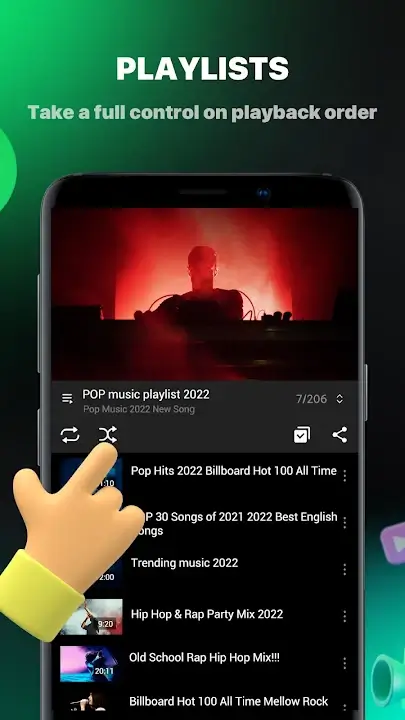
The app is particularly known for allowing users to continue video or music playback while using other applications. It also supports a floating popup player and local audio/video playback.
A Pure Tube MOD APK, however, is a modified version distributed outside the normal app-store installation process. Claims such as “Premium Unlocked,” “No Ads,” or “All Features Unlocked” depend on whoever modified and distributed the APK. They should not be treated as official features.
App Details
| Information | Details |
|---|---|
| App name | Pure Tuber: Video & MP3 Player |
| Common name | Pure Tube / Pure Tuber |
| Developer | High5 Animation Company Limited |
| Category | Video & Music Player |
| Android | Android devices |
| Google Play rating | Around 4.0/5 |
| Downloads | 100M+ on Google Play |
| Official status | Official Pure Tuber app available |
| MOD APK | Unofficial modified version |
| Main features | Background playback, floating player, local media |
| Monetization | Contains ads |
| Latest Play Store update checked | August 12, 2026 |
The official Google Play listing confirms that the application contains ads and provides background playback, floating-window playback, bookmarks, and local media support.
Main Features
1. Background Playback
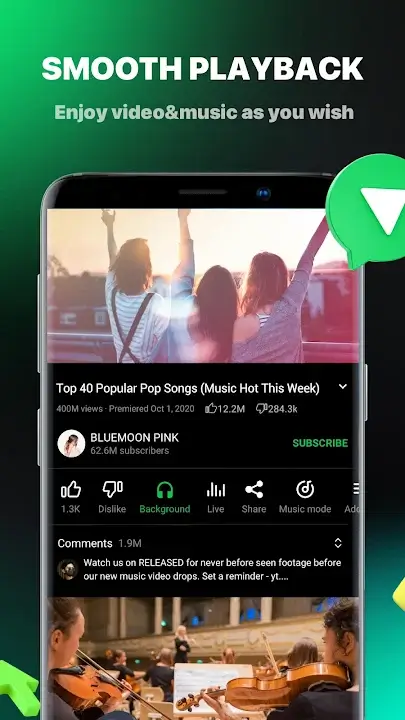
One of Pure Tuber’s biggest attractions is background playback. Users can minimize the application while continuing audio playback. This can be useful when listening to music, podcasts, interviews, or other long-form content.
2. Floating Video Player
The floating player lets a video remain visible in a movable window while another application is being used. The window can be resized and moved around the screen.
3. Local Media Player
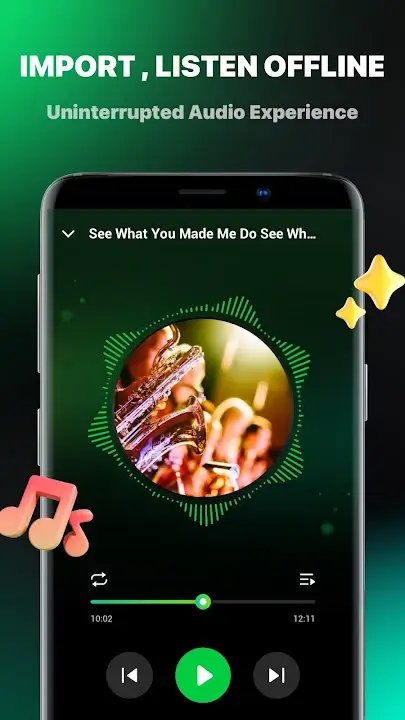
Pure Tuber is not limited to online content. Its current Google Play description says it can also play audio and video files stored locally on the device.
4. Bookmarks
Users can bookmark videos, music, songs, and other content for easier access later.
5. Full-Screen Playback
For users who prefer a traditional viewing experience, the app supports full-screen playback in addition to its floating mode.
6. Multiple Languages and Regions
Pure Tuber’s FAQ says users can select different languages and regions through the settings menu to personalize their feeds.
7. MOD-Specific Claims
Modified versions may advertise additional features such as ad removal or premium functionality. These features are not guaranteed and can change between APK releases.
Requirements
Before installing any version, check the following:
- An Android smartphone or tablet
- Sufficient free storage
- A stable internet connection for online video
- Android compatibility with the particular APK
- Permission to install applications from outside the Play Store if using an APK
- Enough battery for extended playback
Requirements can vary between releases, so users should check the APK’s information before installation.
How to Install Pure Tube MOD APK
If you decide to test an unofficial APK, use caution because its source and modifications may not be independently verified.
Step 1: Download the APK
Obtain the file only from a source you trust. Avoid websites that force multiple redirects, request unnecessary permissions, or provide suspicious download files.
Step 2: Check the File
Before opening it, scan the APK with a reputable mobile security solution. Check the file size and version against information supplied by the distributor.
Step 3: Allow APK Installation
Android may require permission for the browser or file manager to install applications from unknown sources.
On many Android versions:
Settings → Apps → Special app access → Install unknown apps
Choose the application you are using to open the APK and enable the required permission.
Step 4: Install
Open the APK and follow Android’s installation instructions.
Step 5: Disable Unknown-App Permission
After installation, consider turning the permission back off. There is usually no reason to leave APK installation enabled permanently.
Common Problems
Video Does Not Play
Pure Tuber’s official FAQ acknowledges that playback can occasionally take longer or fail. The service says this can occur while its system processes video playback.
Try:
- Checking your internet connection.
- Restarting the application.
- Clearing its cache.
- Updating to the latest version.
- Trying another video.
Search Is Not Working
The official FAQ lists search-related problems and recommends sending feedback with details about the issue. It also notes that some sensitive searches may be restricted.
Background Playback Stops
Battery optimization can interfere with background applications. Check the phone’s battery settings and allow the application to operate in the background where appropriate.
App Crashes
If a MOD version repeatedly crashes, the modification itself may be incompatible with the current service. Installing the official release is generally the better troubleshooting step.
Login Problems
Third-party modified applications can have compatibility problems with account authentication. Avoid entering important account credentials into an APK if you cannot verify who modified it.
Is Pure Tube MOD APK Safe?
This is the most important part.
The official Pure Tuber application is available through Google Play, where Google provides developer-submitted information about data safety. The current listing says the developer does not share data with third parties and may collect files/documents, app information and performance data, and device or other IDs. It also says data is encrypted in transit.
A MOD APK is different.
When an APK has been modified, you cannot automatically assume that it contains the same code as the official application. A third party could potentially alter permissions, advertising components, authentication mechanisms, or other parts of the application.
For that reason:
- Do not assume every MOD APK is safe.
- Scan APK files before installation.
- Avoid modified apps requesting unrelated permissions.
- Do not enter sensitive passwords into unknown applications.
- Keep Google Play Protect enabled.
- Prefer the official version when security is more important than additional features.
Pure Tuber’s own FAQ states that its official application is safe and recommends keeping the application updated.
What Do Real Users Say?
The official Google Play listing currently shows millions of ratings. Some users praise background playback and reduced interruptions, while others report loading, playback, or usability problems.
Recent third-party review aggregation also shows a mixed picture. Some users continue to praise the application for background music playback, while others have complained about newer designs, advertising, or playback failures.
The App Store provides another perspective. Its listing has a 4.5/5 rating from 261 ratings, with users highlighting background playback and the overall viewing experience.
These reviews should be treated as individual experiences rather than proof that every version will work the same way.
Alternatives to Pure Tube MOD APK
If your main goal is background video or music playback, consider comparing the official Pure Tuber application with other legitimate video and media-player options available for your device.
Official Pure Tuber
The safest starting point is the official application because its developer and update channel are identifiable.
YouTube Premium
For users who want an official YouTube experience, YouTube Premium provides features such as background playback and an ad-free viewing experience under its subscription service.
VLC
VLC is a well-known open-source media player that is particularly useful for playing locally stored video and audio files.
NewPipe
NewPipe is another Android-focused alternative for users interested in an open-source approach to online video playback. Users should obtain it from its recognized project distribution channels rather than random APK websites.
Final Verdict
Pure Tuber has a clear appeal for Android users who want background playback, floating video windows, and local media playback in one application. Its official Android version has a substantial user base and continues to receive updates.
The situation is different with Pure Tube MOD APK files. A modified APK can provide features advertised by its distributor, but there is no universal guarantee that every MOD release is authentic, secure, or compatible with the latest version.
For everyday use, the official version is the safer choice. If you still test a modified APK, verify the source, scan the file, review permissions, and avoid entering sensitive account information.
FAQ
Is Pure Tube the same as Pure Tuber?
Pure Tube is commonly used as an alternative name for Pure Tuber. The official Android listing is currently titled Pure Tuber: Video & MP3 Player.
Is Pure Tuber free?
Yes. The official FAQ says Pure Tuber is free to download and install. The current Google Play listing indicates that the app contains ads.
Does Pure Tuber support background playback?
Yes. Background video and music playback is one of its main advertised functions.
Does Pure Tuber have a floating player?
Yes. The application supports floating popup playback that can be moved and resized.
Is Pure Tube MOD APK official?
No. A MOD APK is a modified distribution and should not be confused with the official application.
Can a MOD APK contain malware?
Yes, potentially. Because third parties modify and redistribute these files, their contents cannot be assumed to match the official application.
Why does Pure Tuber sometimes fail to play a video?
The official FAQ acknowledges occasional playback and loading problems and recommends updating the application when issues occur.
Should I use the MOD or official version?
For security and reliability, the official version is generally the better choice. A MOD version introduces additional uncertainty because its modifications and source may not be independently verified.
Does Pure Tuber play local music?
Yes. The current Google Play description says Pure Tuber can import and play locally stored audio and video files.
